MIDI Chord-Tracking Correction
More Than Snap To Scale.
It Follows The Chords.
Snap your MIDI melodies to changing chords in real time — across the entire keyboard.
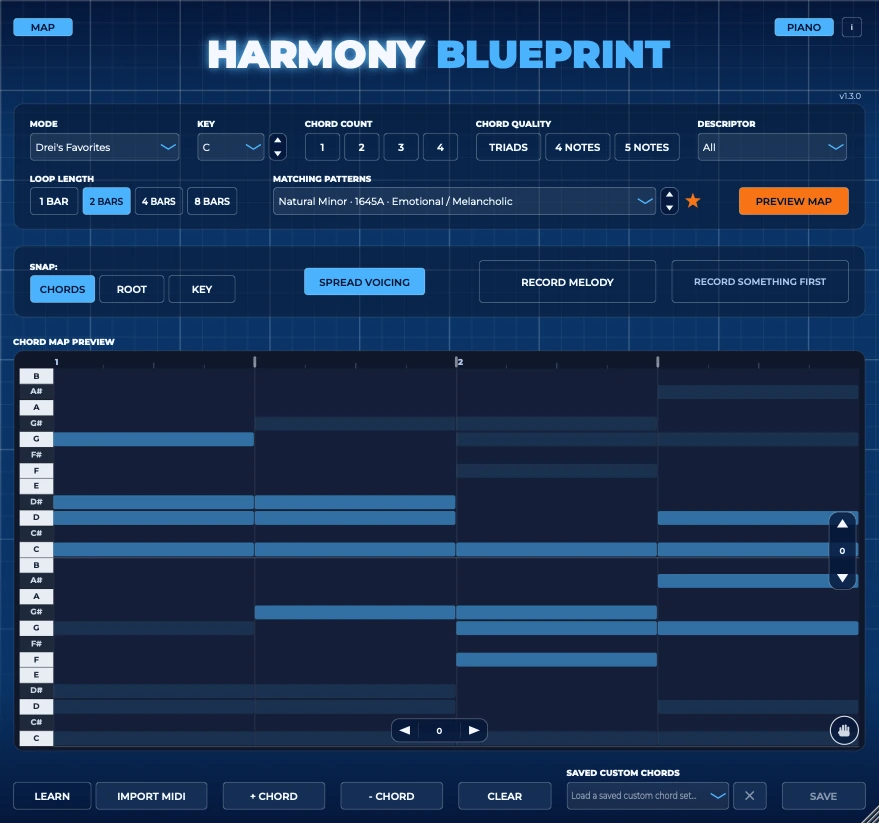
A library of 1,281 chord progressions for modern music — 300+ of them handcrafted by Drei and proven over a decade in his own content — and a plugin that snaps your playing to them, live in your DAW. Play freely, like a real pianist or guitarist. No exporting, no theory, no guessing.
One-time payment. Lifetime updates. No subscription. 7-day money-back guarantee.
Mac & Windows · VST3 & AU
New in v1.3 · Drei's Favorites · 1,281 progressions
Already own it? v1.3 is a free update — download the latest installers: Mac · Windows
Why It's Different
Harmony Blueprint creates harmonic tension.
Staying in the key is safe, but modern music is built on harmonic tension — the pull between your notes and the chord underneath them. Snap to scale only knows the key, so it can't create that. Harmony Blueprint snaps your melody to each chord as it changes, across the entire keyboard — so wherever you play, your notes land against the harmony.
Snap to scale
- Follows one key
- The same notes all song
- Keeps you safe
Harmony Blueprint
- Follows every chord change
- Across the entire keyboard
- Creates harmonic tension
Music theory takes ten years. This gets you there today.
Most producers either spend a decade learning theory, or they guess — stacking random notes and hoping it works. Harmony Blueprint gives you a third option: the blueprints. Pick a progression, play, and every note snaps to the chords.
-
300+
Handcrafted by Drei
Hand-picked and tested over ten years in Drei's own content — the ones that work. Not generated, not randomized. Start with Drei's Favorites: 55 top picks, listed first in the Mode menu.
-
1,281
Every mode, explored
Progressions across 8 modes — Natural Minor, Harmonic Minor, Phrygian, Major, Dorian, Lydian, Mixolydian and Locrian.
-
∞
Build your own
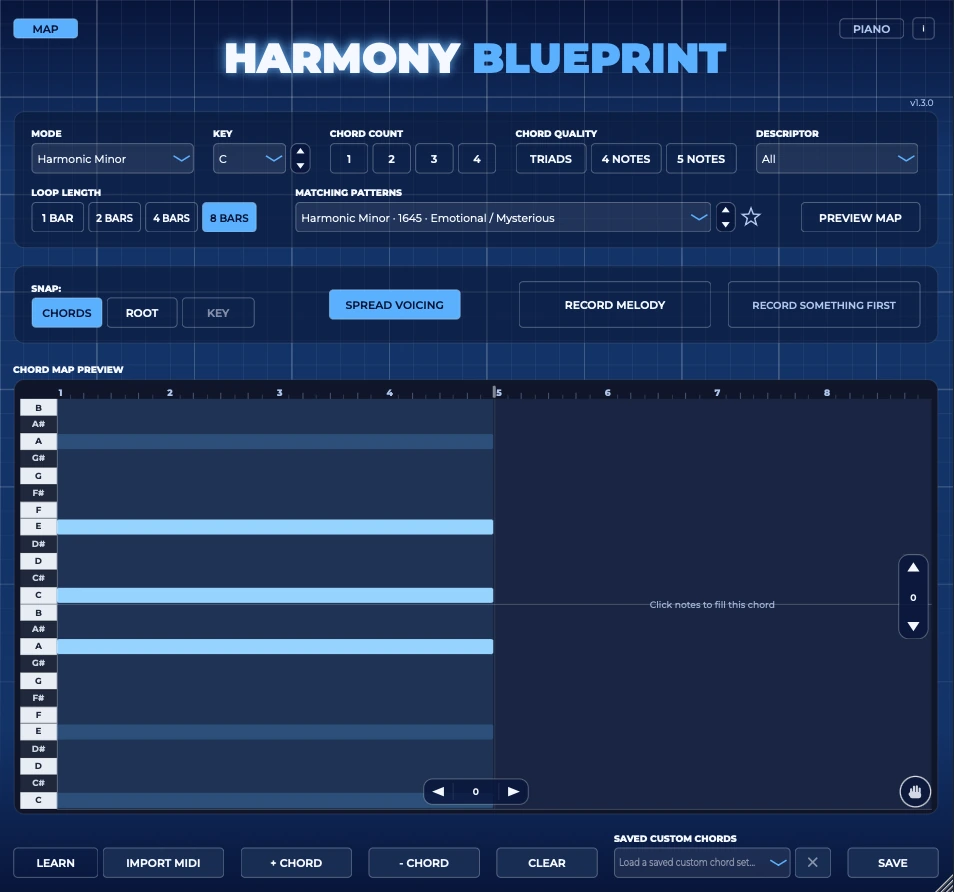
Endless possibilities. Create your own progressions with up to 8 custom chords — click them in, press Learn and play them, or import a MIDI file. Same full-range treatment as every progression.
See It In Action
Watch it work, in a real session.
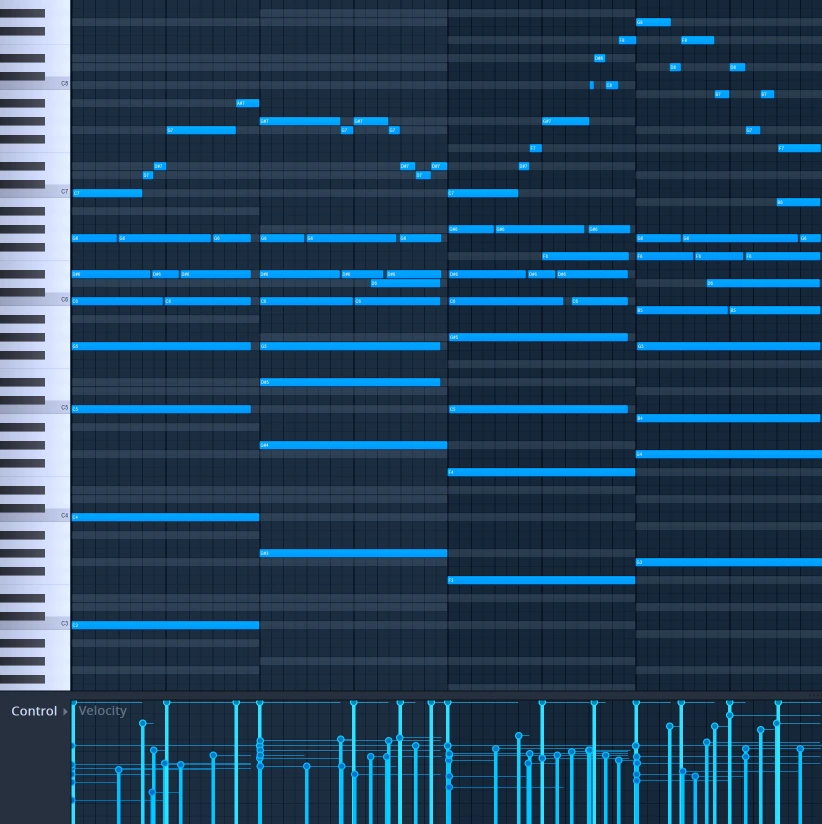
Notes snap to the chords as you play, in real time. Record your melody, drag it onto the piano roll, and see exactly what changed — an emotional melody.
Hear it before and after. Every note locks to the chords as they change — an uplifting melody you can keep editing once it's in your project.
Clicking in notes and moving them around by hand — it all stays on the chord map, here in a darker, moodier progression.
How It Works
Three steps to a finished melody.
-
01
Load it as a plugin
Drop Harmony Blueprint into your DAW. Use it as its own instrument, or route it into your own instruments and plugins in just two clicks.
-
02
Pick your vibe
Filter by mood, key, and mode — from dark Natural Minor and Phrygian to Major, Dorian, Lydian and more — or build your own chords and they automatically become full-range.
-
03
Play — it snaps live
Every note you play snaps to the chord underneath it in real time, in any octave, and follows each chord change automatically.
Build Your Own
Build your own chords — or import them.
Don't want to use the progression library? Click your own chords right into the map — up to 8 — and Harmony Blueprint instantly expands them across the full keyboard, the exact same treatment as every progression in the library. Already have the chords in a MIDI file? Import it, or press Learn and just play them. No music theory needed. You can't get this wrong.
What You Get
Everything you need, nothing you don't.
- Works in any DAW that supports VST3 or AU — tested & proven in FL Studio, Ableton, Logic & Studio One
- Build your own chords — up to 8, click them in and they're automatically full-range
- Import chords from any MIDI file — or press Learn and just play them
- Three snap modes — Chords, Root for bass lines, or Key
- Built-in piano to hear it instantly, or route it into your own instruments
- Record Melody — captures your notes after snapping, drag it onto any track
- Drag the chord map into your DAW as a full-range guide and place notes by hand
- Spread Voicing — play a few notes, hear the full chord
- Half-beat chord editing, chord rotation, loops up to 8 bars
- Tempo & transport synced live to your DAW
- 1,281 progressions across 8 modes — Drei's Favorites, 300+ handcrafted originals, plus Major, Dorian, Lydian & more to explore
- Lifetime updates — buy once, get every future blueprint
New In v1.3
The library just more than doubled.
From 585 progressions to 1,281 — and it's a free update for everyone who already owns it.
- Drei's Favorites. A new hand-picked folder of 55 progressions, listed above your own Favorites in the Mode menu.
- 1,281 progressions across 8 modes. Almost every progression you'd want to try is now in there.
- Hundreds of new 4-chord progressions for Major, Dorian, Lydian, Mixolydian and Locrian, so you can scroll through every one in order.
- Six more of Drei's own custom progressions, including richer 4- and 5-note chords.
- Clearer favorites. 5-note versions are now labelled, so your favorites never mix them up with the 4-note version.

Made By A Real Producer
Curated by an actual producer — not an algorithm.
The core library isn't generated by AI or randomized by software. Over 300 progressions, hand-picked and tested over ten years by Drei, a working producer whose beats have been used by artists worldwide — geared toward the dark, melodic sound of trap, rap, R&B, and pop. Built so you can stop guessing at chords and focus on what actually makes a record: rhythm, motion, and sound design.
What Producers Are Saying
Real comments, straight from YouTube.
A 100% recommended plugin, great for creating melodies and easily changing the vibe.
Not gonna lie, I've been killing it every since I've purchased this plugin! Great job with the update also!
Thanks for adding these great new features - bought it today & looking forward to experimenting
Pricing
One-time payment. Lifetime updates.
$39.95one-time purchase
Includes the real-time plugin (Mac & Windows) and the original web app. Every future update, every new blueprint added to the platform, included. No subscription.
7-day money-back guarantee. If it doesn't fit your workflow, email within 7 days for a full refund.
FAQ
Questions, answered.
How is this different from snap to scale?
Snap to scale locks your notes to a key — one fixed set of notes for the whole song. That keeps you in the key, but it can't create harmonic tension, the foundation of modern music, because it doesn't know which chord is playing. Harmony Blueprint follows your chord progression and moves with it as the chords change. And because every chord is mapped across the entire keyboard, it works in every octave, from bass to lead.
Does this work with my DAW?
Yes — it runs in any DAW that supports VST3 or AU on Mac and Windows, and it's tested and proven in FL Studio, Ableton, Logic and Studio One. If you hit a snag in another DAW, message me and I'll help.
Can I use my own plugins or instruments with Harmony Blueprint?
Yes — just route Harmony Blueprint's MIDI output into your instrument's MIDI input, and you'll hear your own sound instead of Harmony Blueprint's. You're not limited to what's built in — the possibilities are basically endless.
Can I use the chords from my own song?
Yes — drag a MIDI file onto the plugin and it builds the chord map from your file, press Learn and play your chords on your keyboard, or click them in by hand. Up to 8 chords, and they all snap your melody just like the built-in progressions.
Do I need to know music theory to use this?
No — that's the whole point. You'll start understanding it just by using the tool.
Can I use these commercially?
Yes — every progression is 100% royalty-free with unlimited commercial use. No limits, no additional clearance needed. (The only restriction: you can't resell the MIDI patterns/maps themselves as a standalone product.)
What if it doesn't work for me? Do you offer refunds?
Yes — Harmony Blueprint comes with a 7-day money-back guarantee. If it doesn't fit your workflow, email contact@dreimusic.com within 7 days of purchase and I'll refund you in full. One refund per customer, and a refunded license is deactivated.
Is this a subscription?
No — one-time purchase, lifetime access to updates.
I already own Harmony Blueprint — how do I get v1.3?
It's a free update. Download the latest installer from the "Already own it?" links at the top of this page and install it over your old version. Your license, saved chords and favorites stay exactly as they are.
What if I already have a melody idea?
You can still use Harmony Blueprint reactively — shape your existing idea around proven progressions instead of starting from scratch.
Snap your melody to changing chords in real time.
Across the entire keyboard. Live, in your DAW.
7-day money-back guarantee